

Tensor Expressions (tx)
torch.js includes a powerful Domain-Specific Language (DSL) called tx for writing tensor operations using natural mathematical syntax. Write $(`a @ b + c`)({a,b,c}) instead of a.matmul(b).add(c).
Access it via torch.$, torch.tx, or import directly:
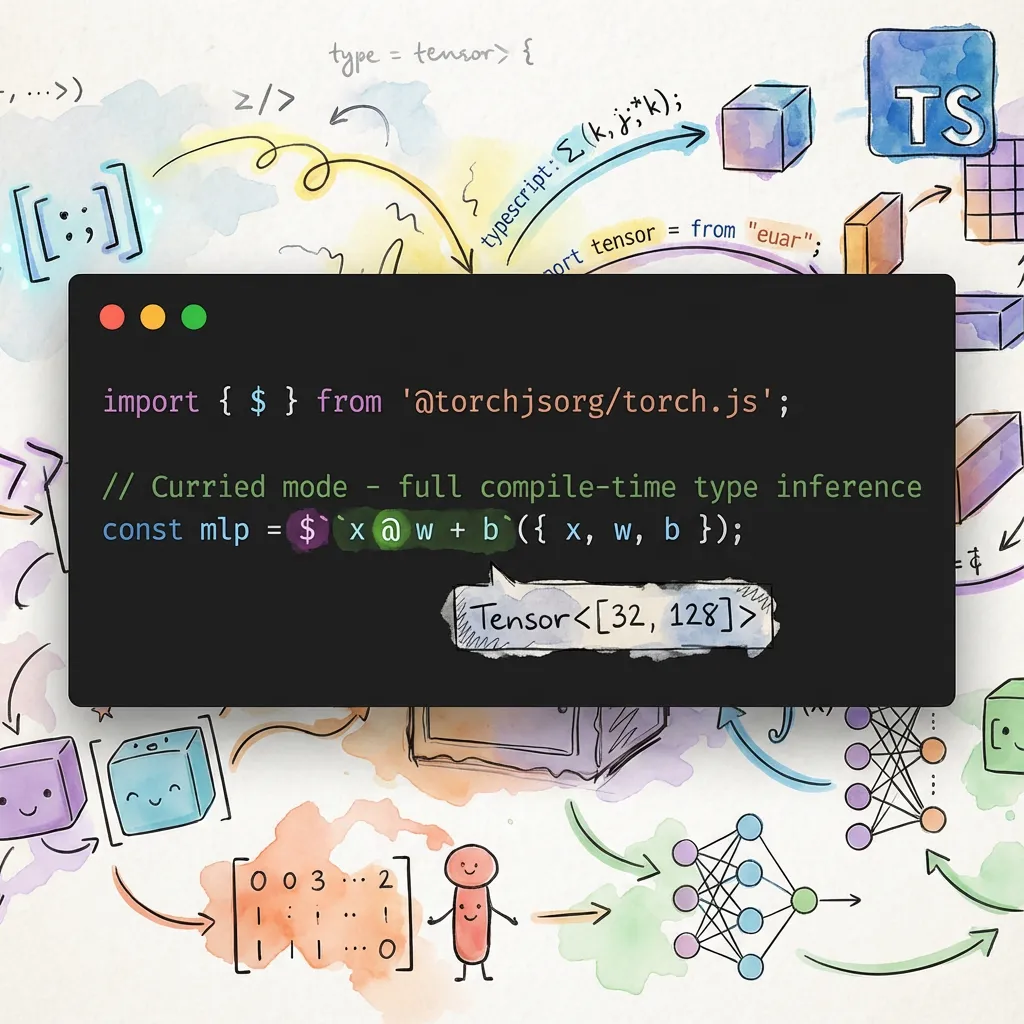
Why Use Tensor Expressions?
Deep learning code is fundamentally mathematical. When you read a paper describing attention as softmax(QK^T / sqrt(d)) * V, translating that into method chains like Q.matmul(K.transpose(-2,-1)).div(Math.sqrt(d)).softmax(-1).matmul(V) obscures the mathematical intent behind API calls.
Tensor expressions let you write code that looks like the math. The @ operator for matrix multiplication, standard arithmetic operators, and function calls combine to create readable expressions that match how you think about the computation.
Beyond readability, tx provides compile-time type safety. TypeScript parses the expression pattern and infers the output shape, catching dimension mismatches before your code runs.
| Feature | Method Chaining | Tensor Expressions |
|---|---|---|
| Syntax | a.matmul(b).add(c) | $('a @ b + c')({a,b,c}) |
| Readability | Verbose, nested | Mathematical notation |
| Type Safety | Per-operation | Full expression inference |
| Parentheses | Manual nesting | Natural grouping |
Quick Start
import { $ } from '@torchjsorg/torch.js';
// you can also use torch.tx

// Curried mode - full compile-time type inference
const mlp = $(`x @ w + b`)({ x, w, b });

// Direct mode - embed tensors with ${}
const sum = $`${a} + ${b}`;
const matmul = $`${a} @ ${b}`;
const linear = $`${x} @ ${weights} + ${bias}`;

// Functions with multiple arguments
const clamped = $`clamp(${x}, 0, 1)`;
const selected = $`where(${mask}, ${a}, ${b})`;
Two Modes of Operation
The $ function supports two modes. Pick whichever fits your situation:
| Mode | Syntax | Best For |
|---|---|---|
| Direct | $`${a} @ ${b}` | Quick one-liners when you have tensors ready |
| Curried | $('a @ b')({ a, b }) | Reusable patterns, compile-time type checking |
Direct Mode (Interpolation)
Embed tensors directly with ${}. Evaluates immediately—perfect for quick expressions:
const a = torch.randn(2, 3);
const b = torch.randn(3, 4);

const result = $`${a} @ ${b}`; // Simple and direct
const activated = $`relu(${x} @ ${w})`; // With function calls
Curried Mode (Pattern)
Pass a pattern string, then provide tensors by name. This enables TypeScript to parse the pattern and infer the exact output shape at compile time:
const result = $('a @ b')({ a, b }); // TypeScript knows this is Tensor<[2, 4]>

// Reusable patterns
const linear = $('x @ w + b');
const h1 = linear({ x: input, w: w1, b: b1 });
const h2 = linear({ x: h1, w: w2, b: b2 });
Use curried mode when you want compile-time shape checking or when defining reusable patterns. Shape errors appear as red squiggles in your editor instead of runtime exceptions.
Why $('pattern') instead of $`pattern`? TypeScript cannot preserve literal string
types from tagged template literals without interpolations. Parentheses ensure the pattern is
captured as a literal type like "a @ b" rather than just string.
Supported Operators
The expression parser recognizes all standard mathematical and logical operators with proper precedence rules. Multiplication and division bind tighter than addition and subtraction, just as you'd expect. The @ operator has the same precedence as multiplication, matching Python's semantics.
| Category | Operators | Example |
|---|---|---|
| Arithmetic | + - * / // % ** | $`a + b * c` |
| Matrix | @ | $`x @ weights` |
| Comparison | == != < <= > >= | $`a < b` |
| Logical | & | ^ | $`mask & valid` |
| Bitwise | << >> | $`bits << 2` |
| Unary | - + ~ | $`-x` |
| Ternary | ? : | $`x < 0 ? 0 : x` |
The ternary operator ? : enables conditional expressions without leaving the DSL. This is particularly useful for implementing activation functions or masking operations inline.
Built-in Functions
The DSL includes most common tensor operations as callable functions. These functions use the same names as their torch.js counterparts, so the mapping is predictable.
// Activation functions
$`relu(${x})`;
$`sigmoid(${x})`;
$`tanh(${x})`;
$`gelu(${x})`;
$`softmax(${x}, -1)`;

// Math functions
$`abs(${x})`;
$`sqrt(${x})`;
$`exp(${x})`;
$`log(${x})`;

// Reductions
$`sum(${x})`;
$`mean(${x}, 0)`;
$`max(${x})`;

// Multi-argument functions
$`clamp(${x}, 0, 1)`;
$`where(${mask}, ${a}, ${b})`;
$`maximum(${a}, ${b})`;

// Multi-branch conditionals
$('case(x < 0, -1, x > 0, 1, 0)')({ x }); // sign function

// Transpose functions
$`T(${x})`; // 2D transpose (like .T)
$`mT(${x})`; // Matrix transpose (last 2 dims, like .mT)
$`transpose(${x}, 0, 1)`; // General transpose
Functions can be nested arbitrarily: $`sigmoid(relu(x @ w + b))` is valid and evaluates inner-to-outer as expected. Numeric arguments like dimension indices can be written as literals directly in the expression.
Conditional Functions
The where() function provides element-wise conditionals: where(condition, a, b) returns elements from a where condition is true, else from b.
For multi-branch conditionals, use case():
// case(cond1, val1, cond2, val2, ..., default)
// Returns val1 where cond1 is true, else val2 where cond2 is true, ..., else default

// Sign function: -1 for negative, 1 for positive, 0 for zero
const sign = $('case(x < 0, -1, x > 0, 1, 0)')({ x });

// Classify values into ranges
const category = $('case(x < 0.3, 0, x < 0.7, 1, 2)')({ x });

// Simple condition with default
const result = $('case(x > threshold, 1, 0)')({ x, threshold });
The case() function is implemented as nested where() calls, processing conditions from left to right and using the final argument as the default value.
Type Safety
One of tx's most powerful features is compile-time shape inference. When you use curried mode, TypeScript parses the expression pattern as a literal type and propagates shapes through each operation. This catches entire classes of bugs that would otherwise surface as cryptic runtime errors.
const x = torch.randn(32, 784); // Tensor<[32, 784]>
const w = torch.randn(784, 128); // Tensor<[784, 128]>
const b = torch.randn(128); // Tensor<[128]>

// TypeScript knows the result is Tensor<[32, 128]>
const hidden = $('x @ w + b')({ x, w, b });

// Shape errors caught at compile time!
const bad_w = torch.randn(100, 128); // Wrong input size
const error = $('x @ bad_w')({ x, bad_w });
//    ^^^^^ Type error: matmul inner dimensions don't match
The error messages are designed to be helpful. Instead of a generic type mismatch, you'll see something like "matmul inner dimensions don't match: 784 vs 100".
Even when TypeScript can't catch an error at compile time, tx validates at runtime that the variables you provide match what the pattern expects. Missing or extra variables produce helpful error messages showing the pattern and what was provided.
Shape Assertions
While TypeScript catches shape errors at compile time in curried mode, you can also add explicit runtime shape assertions directly in your expressions. This is useful when:
- Working with dynamic shapes that TypeScript can't track
- Adding sanity checks during debugging
- Documenting expected shapes inline
Use the syntax expression : [dim1, dim2, ...] to assert the result shape:
// Assert that the result has shape [2, 4]
const result = $('x @ w : [2, 4]')({ x, w });

// Use * as a wildcard to match any dimension value
const result2 = $('x @ w : [*, 128]')({ x, w }); // Only checks second dim

// Assert on complex expressions
const hidden = $('relu(x @ w + b) : [32, 128]')({ x, w, b });

// Assert scalar output (empty shape)
const scalar = $('sum(x) : []')({ x });
If the shape doesn't match, you get a helpful error message:
Shape assertion failed at dimension 1: expected 128, got 64.
Expected: [*, 128]
Actual:   [32, 64]
Wildcards
The asterisk * acts as a wildcard that matches any value for that dimension. This is useful when you want to check some dimensions but not others:
// Check only that output is 2D with 128 columns
$('x @ w : [*, 128]')({ x, w });

// Check only that output is 3D (any sizes)
$('result : [*, *, *]')({ result });
Note that wildcards still validate the number of dimensions—[*, *] will fail on a 3D tensor.
Real-World Examples
These examples show how tensor expressions simplify common deep learning patterns. Notice how the mathematical structure becomes visible when you're not fighting with method chains.
Linear Layer
The fundamental building block of neural networks: a matrix multiplication followed by a bias addition. In tx, it reads exactly like the mathematical formula y = xW + b.
function linear(x: Tensor, w: Tensor, b: Tensor) {
  return $('x @ w + b')({ x, w, b });
}
GRU Cell
Gated Recurrent Units involve multiple gates with element-wise operations. The mathematical structure—sigmoid activations for gates, tanh for the candidate, and a weighted combination—is immediately apparent.
function gruCell(x: Tensor, h: Tensor, Wz: Tensor, Wr: Tensor, Wh: Tensor) {
  const z = $('sigmoid(x @ Wz)')({ x, Wz });
  const r = $('sigmoid(x @ Wr)')({ x, Wr });
  const h_tilde = $('tanh(x @ Wh * r)')({ x, Wh, r });
  return $('(1 - z) * h_tilde + z * h')({ z, h_tilde, h });
}
Scaled Dot-Product Attention
The attention mechanism from "Attention Is All You Need" computes softmax(QK^T / sqrt(d)) * V. The mT() function handles the key transpose, making the expression almost identical to the paper's notation.
function attention(Q: Tensor, K: Tensor, V: Tensor, scale: number) {
  // mT() transposes last two dimensions - perfect for attention
  // Using direct mode with interpolation for the scale value
  const scores = $`${Q} @ mT(${K}) / ${scale}`;
  return $('softmax(scores, -1) @ V')({ scores, V });
}
Reverse Polish Notation with $.r
For those who prefer postfix notation, tx includes an RPN evaluator. In RPN (also called postfix notation), operators come after their operands rather than between them. This eliminates the need for parentheses entirely—operator precedence is implicit in the order of operations.
RPN may feel unfamiliar if you've never used a Forth-like language or an HP calculator, but it has a certain elegance: the expression reads as a sequence of stack operations, which maps directly to how the computation executes.
// Infix: (a + b) * c
// RPN:   a b + c *
const result = $.r`a b + c *`({ a, b, c });

// Infix: relu(x @ w + b)
// RPN:   x w @ b + relu
const activated = $.r`x w @ b + relu`({ x, w, b });
Multi-argument Functions in RPN
Since RPN is stack-based, functions that take multiple arguments need to know how many values to pop. Use the .N or $N suffix to specify arity explicitly. Unary functions like relu default to consuming one argument, so the suffix is optional for those.
// Infix: clamp(x, 0, 1)
// RPN:   x 0 1 clamp.3  (or clamp$3)
const clamped = $.r`x 0 1 clamp.3`({ x });

// Infix: maximum(a, b)
// RPN:   a b maximum.2  (or maximum$2)
const max = $.r`a b maximum$2`({ a, b });

// Infix: where(cond, a, b)
// RPN:   cond a b where.3
const selected = $.r`cond a b where.3`({ cond, a, b });
Unary functions like relu, sigmoid, neg default to 1 argument, so the suffix is optional.
MLP with RPN
For comparison, here's a two-layer MLP written in RPN. The computation flows left-to-right through the expression, which some find more intuitive for sequential operations.
// Two-layer MLP: sigmoid(relu(x @ w1 + b1) @ w2 + b2)
const output = $.r`x w1 @ b1 + relu w2 @ b2 + sigmoid`({
  x,
  w1,
  b1,
  w2,
  b2,
});
Debug and Trace
When debugging complex expressions, you can use $.debug to log each operation as it executes, or $.trace to capture a structured trace of the computation.
// Debug mode - logs each operation
$.debug`${a} @ ${b} + ${c}`;

// Trace mode - returns execution trace
const { result, trace } = $.trace`${a} @ ${b} + ${c}`;
console.log(trace);
// [
//   { op: '@', inputs: [[2,3], [3,4]], output: [2,4], time: 0.5 },
//   { op: '+', inputs: [[2,4], [4]], output: [2,4], time: 0.3 },
// ]
The trace includes timing information for each operation, which can help identify bottlenecks in complex expressions.
Expression Visualization
You can visualize the computation graph of an expression using $.graph or $.visualize.
// Get structured graph data (useful for custom rendering)
const graph = $.graph`${a} @ ${b} + ${c}`;
console.log(graph.nodes); // Array of nodes with id, type, label
console.log(graph.edges); // Array of edges connecting nodes
console.log(graph.root); // ID of the root node (final result)

// Get ASCII visualization
console.log($.visualize`${a} @ ${b} + ${c}`);

// Works with pattern strings too
const graph2 = $.graphPattern('x @ w + b', { x, w, b });
The graph data is structured for easy rendering in visualization tools or IDE integrations.
Optimization Hints
The $.analyze function examines expressions and suggests potential optimizations.
// Detect common issues
const result = $.analyze`relu(relu(${x}))`;
console.log(result.warnings);
// ['Redundant nested relu(): relu(relu(x)) = relu(x)']

// Detect mathematical identities
const result2 = $.analyze`exp(log(${x}))`;
// Warns: 'exp(log(x)) = x (for positive x)'

// Detect potential mistakes
const result3 = $.analyze`sum(softmax(${x}))`;
// Warns: 'sum(softmax(x)) is always 1.0'

// Format for display
console.log($.formatAnalysis(result));
Detected patterns include:
- Redundant operations:
relu(relu(x)),T(T(x)),neg(neg(x)) - Mathematical identities:
exp(log(x)) = x,sqrt(x**2) = abs(x) - Matrix multiplication chains with optimization hints
- Potential fused multiply-add (FMA) opportunities
- Common mistakes like
sum(softmax(x))
IDE Integration
For Monaco editor or other IDE integrations, tx provides autocomplete data.
// Get all available functions with metadata
const functions = $.getFunctions();
// [
//   { name: 'relu', signature: 'relu(x)', description: 'Rectified Linear Unit', category: 'Activation' },
//   { name: 'sum', signature: 'sum(x, dim?, keepdim?)', description: 'Sum of elements', category: 'Reduction' },
//   ...
// ]

// Get available operators
const operators = $.getOperators();
// ['+', '-', '*', '/', '//', '%', '**', '@', '==', '!=', '<', '<=', '>', '>=', '&', '|', '^', '<<', '>>']

// Example Monaco integration
monaco.languages.registerCompletionItemProvider('typescript', {
  provideCompletionItems: () => ({
    suggestions: $.getFunctions().map((fn) => ({
      label: fn.name,
      kind: monaco.languages.CompletionItemKind.Function,
      insertText: fn.signature,
      documentation: fn.description,
    })),
  }),
});
Expression Composition
Build complex expressions from simpler patterns using composition utilities.
Compile for Repeated Use
Pre-compile a pattern for efficient repeated evaluation, avoiding parse overhead in hot loops:
const linear = $.compile('x @ w + b');

// Fast evaluation - no parsing on each call
for (const batch of batches) {
  const result = linear.run({ x: batch, w, b });
}

// Inspect the pattern
console.log(linear.pattern); // 'x @ w + b'
console.log(linear.variables); // ['x', 'w', 'b']
Compose Patterns
Use $.compose to substitute one pattern into another. The _ placeholder marks where the first pattern gets inserted:
// relu(x @ w + b)
const reluLinear = $.compose('x @ w + b', 'relu(_)');
const result = reluLinear({ x, w, b });

// softmax(x @ w + b, -1)
const softmaxLinear = $.compose('x @ w + b', 'softmax(_, -1)');
Pipe Multiple Patterns
Build pipelines where each stage's output becomes the next stage's input:
// Build a two-layer MLP: sigmoid(relu(x @ w1 + b1) @ w2 + b2)
const mlp = $.pipe(
  'x @ w1 + b1', // First linear layer
  'relu(_)', // ReLU activation
  '_ @ w2 + b2', // Second linear layer
  'sigmoid(_)' // Output activation
);

const output = mlp({ x, w1, b1, w2, b2 });

// Attention mechanism
const attention = $.pipe(
  'q @ mT(k)', // Compute scores
  '_ / scale', // Scale
  'softmax(_, -1)', // Softmax
  '_ @ v' // Apply to values
);
Partial Application
Bind some variables to create specialized versions:
// Create a linear layer with fixed weights
const linear = $.partial('x @ w + b', { w: weights, b: bias });

// Now only needs 'x'
const y1 = linear({ x: input1 });
const y2 = linear({ x: input2 });
Named Expressions
Create inspectable expressions for debugging:
const attention = $.named('scaled_dot_product_attention', 'softmax(q @ mT(k) / scale, -1) @ v');

console.log(attention.name); // 'scaled_dot_product_attention'
console.log(attention.pattern); // 'softmax(q @ mT(k) / scale, -1) @ v'
console.log(attention.variables); // ['q', 'k', 'scale', 'v']

const output = attention({ q, k, v, scale });
Symbolic Gradients
Compute symbolic derivatives of expressions with $.grad and $.gradAll. This is useful for understanding gradients, generating gradient code, or educational purposes.
// Basic derivatives
$.grad('x ** 2', 'x'); // '(2 * x ** (2 - 1))'
$.grad('sin(x)', 'x'); // 'cos(x)'
$.grad('exp(x)', 'x'); // 'exp(x)'
$.grad('log(x)', 'x'); // '(1 / x)'

// Chain rule
$.grad('sin(x ** 2)', 'x'); // 'cos(x ** 2) * (2 * x ** (2 - 1))'
$.grad('exp(2 * x)', 'x'); // 'exp(2 * x) * 2'

// Activation functions
$.grad('relu(x)', 'x'); // 'x > 0 ? 1 : 0'
$.grad('sigmoid(x)', 'x'); // 'sigmoid(x) * (1 - sigmoid(x))'
$.grad('tanh(x)', 'x'); // '(1 - tanh(x) ** 2)'

// Multiple variables - get all partial derivatives
const grads = $.gradAll('x * y + y * z', ['x', 'y', 'z']);
// { x: 'y', y: 'x + z', z: 'y' }
The gradient system supports:
- Operators:
+,-,*,/,** - Math functions:
exp,log,sqrt,sin,cos,tan,sinh,cosh,tanh,abs - Activation functions:
relu,sigmoid,tanh,softplus,silu,leaky_relu,elu - Chain rule: Automatic application for nested expressions
- Ternary expressions: Gradients through conditionals
Matrix multiplication (@) gradients require runtime tensor shapes, so $.grad('x @ y', 'x')
throws an error. Use torch.js's autograd system for runtime gradient computation.
Lazy Evaluation
Create expressions that defer execution until explicitly called. This enables incremental variable binding and expression reuse.
// Create a lazy expression (not executed yet)
const linear = $.lazy('x @ w + b');

console.log(linear.variables); // ['x', 'w', 'b']
console.log(linear.isComplete); // false

// Bind some variables (still not executed)
const withParams = linear.with({ w: weights, b: bias });
console.log(withParams.unboundVariables); // ['x']

// Execute when ready
const result = withParams.execute({ x: input });

// Or execute with all variables at once
const result2 = linear.execute({ x: input, w: weights, b: bias });
Batch Processing with Lazy Expressions
Lazy expressions are ideal for processing multiple batches with shared parameters:
const linear = $.lazy('relu(x @ w + b)').with({ w: weights, b: bias });

for (const batch of dataLoader) {
  const output = linear.execute({ x: batch });
  // Process output...
}
Convenience: lazyWith
Create a lazy expression with initial bindings in one call:
const bound = $.lazyWith('x @ w + b', { w: weights, b: bias });
const result = bound.execute({ x: input });
Lazy Expression Methods
| Method | Description |
|---|---|
.with(vars) | Bind variables, returns new LazyExpression |
.execute(vars?) | Execute with optional additional variables |
.analyze() | Get optimization hints |
.unbind() | Create copy with no bindings |
.clone() | Create copy with current bindings |
.variables | List of all variable names |
.unboundVariables | Variables not yet bound |
.isComplete | True if all variables are bound |
Memory-Efficient Evaluation
Reduce memory allocations by reusing output buffers, especially useful in training loops.
Output Buffer Reuse
const out = torch.empty(batch_size, hidden_dim);

// Evaluate and write directly to existing buffer
$.efficient('x @ w + b', { x, w, b }, { out });

// Reuse buffer across iterations
for (const batch of batches) {
  $.efficient('relu(x @ w + b)', { x: batch, w, b }, { out });
  // Process out before next iteration
  accumulator.add(out);
}
Pre-compiled Efficient Patterns
For hot loops, pre-compile the pattern to avoid parsing overhead:
const linear = $.efficientPattern('x @ w + b');
const out = torch.empty(batch_size, hidden_dim);

for (const batch of batches) {
  linear({ x: batch, w, b }, { out });
  process(out);
}
Buffer Pool
Manage reusable tensor buffers to reduce allocations:
const pool = $.getBufferPool();

// Acquire a buffer (reuses existing or creates new)
const temp = pool.acquire([2, 3], 'float32', torch.empty);

// Use the buffer...
computeSomething(temp);

// Return to pool for reuse
pool.release(temp);

// Check pool statistics
console.log(pool.stats); // { pooled: 5, inUse: 2, pools: 3 }

// Clear all pooled buffers
$.clearBufferPool();
Compiled Expressions with Optimizations
For maximum performance, use $.compileAdvanced which combines lazy evaluation, efficient execution, and static optimizations applied at compile time.
const expr = $.compileAdvanced('relu(x @ w + b)');

// Bind parameters once
const withParams = expr.bind({ w: weights, b: bias });

// Run efficiently with optional output buffer
const out = torch.empty(batch_size, hidden_dim);
for (const batch of batches) {
  withParams.run({ x: batch }, { out });
  process(out);
}
Static Optimizations
Compiled expressions automatically apply optimizations at compile time:
// Identity removal
$.compileAdvanced('x + 0'); // Optimizes to just 'x'
$.compileAdvanced('x * 1'); // Optimizes to just 'x'
$.compileAdvanced('x ** 1'); // Optimizes to just 'x'

// Constant folding
$.compileAdvanced('x * (2 + 3)'); // Folds to 'x * 5'

// Double negation
$.compileAdvanced('--x'); // Optimizes to 'x'

// Nested function simplification
$.compileAdvanced('relu(relu(x))'); // Optimizes to 'relu(x)'
$.compileAdvanced('abs(abs(x))'); // Optimizes to 'abs(x)'

// Inverse function pairs
$.compileAdvanced('exp(log(x))'); // Optimizes to 'x'
$.compileAdvanced('log(exp(x))'); // Optimizes to 'x'

// Zero simplification
$.compileAdvanced('x * 0'); // Optimizes to '0'
$.compileAdvanced('x ** 0'); // Optimizes to '1'
Introspection
Inspect what optimizations were applied:
const expr = $.compileAdvanced('relu(relu(x)) + 0');

console.log(expr.optimizations);
// ['Simplified nested relu', 'Removed identity: + 0']

console.log(expr.isOptimized); // true
console.log(expr.getOptimizedExpression()); // 'relu(x)'

// Get analysis hints for further optimization
const analysis = expr.analyze();
console.log(analysis.hints);
Disable Optimizations
For debugging or when you need exact semantics:
const expr = $.compileAdvanced('x + 0', { optimize: false });
console.log(expr.isOptimized); // false
Named Compiled Expressions
Add names for better error messages and debugging:
const linear = $.compileAdvanced('x @ w + b', { name: 'linear_layer' });
console.log(linear.name); // 'linear_layer'
console.log(linear.toString()); // 'CompiledExpression("linear_layer" "x @ w + b")'
Performance
- AST Caching: Parsed expressions are cached (LRU, 500 entries) so repeated patterns parse once
- Same Operations:
$('a @ b')compiles to the samea.matmul(b)call - no wrapper overhead - Compiled Patterns: Use
$.compile()to pre-parse patterns for hot paths - Lazy Evaluation: Use
$.lazy()for deferred execution with incremental binding - Buffer Reuse: Use
$.efficient()or$.compileAdvanced()with{ out }to avoid allocations - Static Optimizations: Use
$.compileAdvanced()for automatic expression simplification
API Reference
For complete API documentation, see the torch.tx reference.
Key Classes:
- LazyExpression - Deferred expression evaluation
- BufferPool - Tensor buffer management
- CompiledExpression - Optimized compiled expressions
Key Functions:
- grad - Symbolic differentiation
- gradAll - Multiple partial derivatives
- parse - Parse expression to AST
- analyzeExpression - Get optimization hints
- compileExpression - Compile with optimizations
Types:
- ASTNode - Expression AST node types
- CompileOptions - Compilation options
- LazyExecuteOptions - Lazy execution options
Next Steps
- Type Safety - Compile-time shape checking
- Einsum - Einstein summation notation
- Einops - Flexible tensor rearrangements